
Board Sprint · Pre-launch partners
Your next board, fab-ready in 5 business days.
Designed in Coppr, a brand-new EDA built from scratch with embedded AI agents.

Bring anything from a rough idea to a full spec. AI agents design the board, and you get back the files your fab and assembler ask for.
A human EE signs off on every one.
15-minute call · we scope the next board on your list
or email uspraveen.sundar@copprlab.com
.kicad_proAlready in KiCad? Bring the project ↓
From the founders
Coppr is the tool we wish we'd had at our first hardware startup.
Hardware design is about to change the way software did. Arun and I built our first hardware company in 2020, where EE talent was the biggest bottleneck. Coppr is the tool that would have saved our startup. Now we want to open Coppr to every team building hardware. Coppr gets you from an idea to a verified board you can actually order.
Board Sprint is how we open it up: a small group of teams before launch, building alongside people who ship real hardware. If a board is sitting on your list, Let's get it designed.
Why Coppr
Not a plugin on a legacy tool. An EDA built for agents.
The ngspice bug is the point. We built a new EDA from scratch, rather than bolting AI onto software designed around a mouse.
- A
Built for agents
The whole toolchain is designed for agents to drive, end to end.
- B
Boards as source
Every board is text, compiled like source code, so each change can be read and reviewed.
- C
Checked like code
A Rust compiler checks every step, with senior-EE knowledge encoded as deterministic checks. A run can't finish until verification passes with zero errors.
01 / The sprint
One board. Five business days. One human signature.
You tell us what the board has to do. AI agents do the design work. An electrical engineer reviews it before anything leaves our hands.
- Stage 1
Scope
We agree on exactly what the board has to do, from a napkin sketch or a full spec.
Scope locked - Stage 2
Parts & schematic
AI agents choose parts against your requirements and capture the schematic.
Schematic · 12+ checks ✓ - Stage 3
Layout & routing
The agents place and route the board, then run design-rule checks on the result.
Routed · 8+ checks ✓ - Stage 4
Human EE sign-off
An electrical engineer reviews it like their own design. If they wouldn't send it to their fab, it doesn't go to yours.
Signed off - Stage 5
Release
The full fab and assembly package lands with you, ready to order.
Fab-ready
Each stage has to pass Coppr’s readiness checks before the next one starts, so the engineer at stage 4 reviews a clean design. See the top 20 checks ↑
You keep building the rest of the product. The board shows up done.
What lands with you05 items
- Gerbers & drillGBR · DRL
- Bill of materialsCSV
- Pick-and-placeCSV
- Assembly drawingsPDF
- ODB++ODB++
- Human EE sign-offSigned
02 / Proof
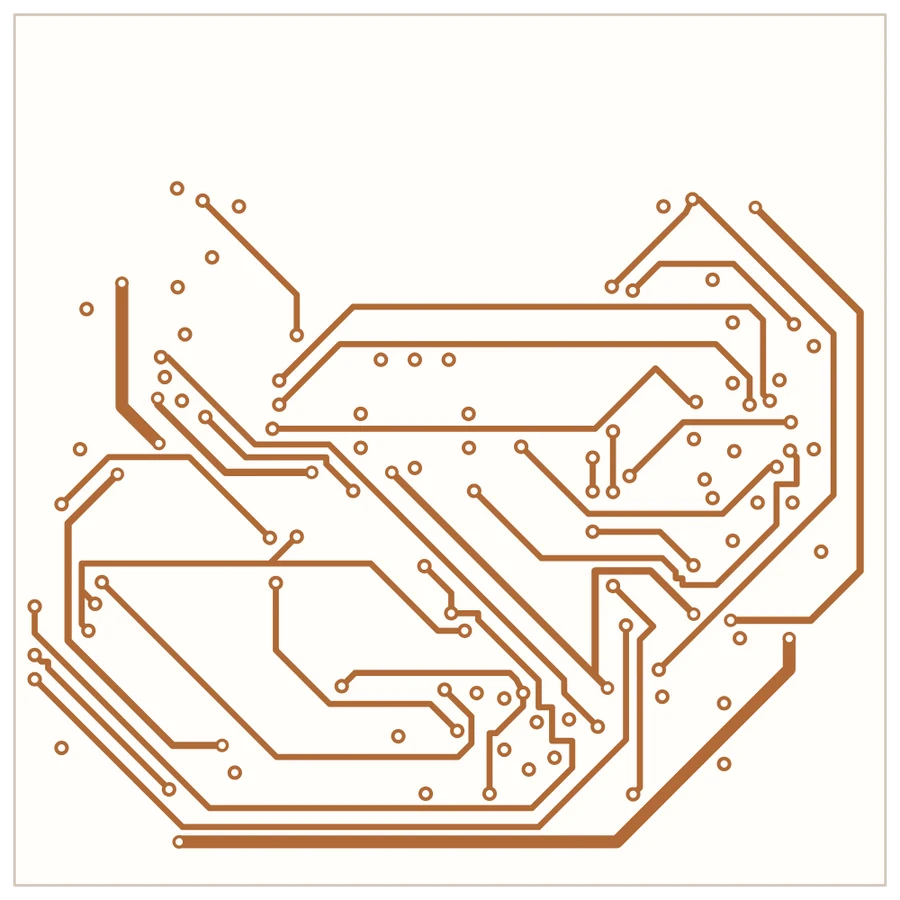
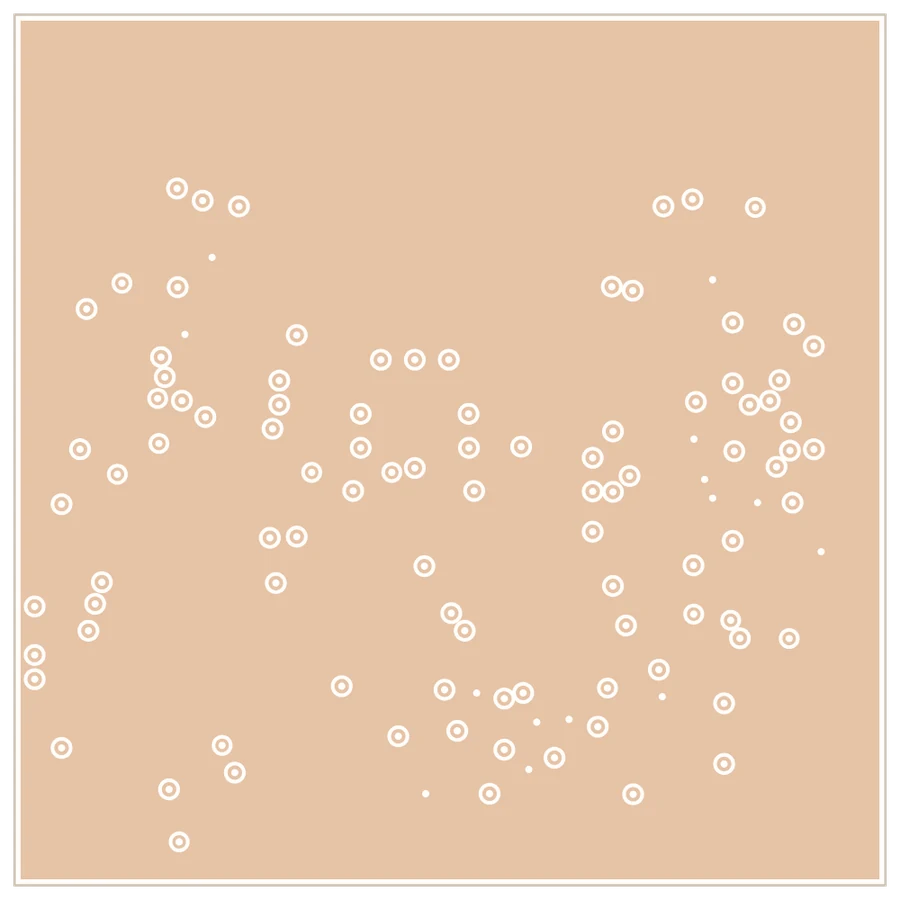
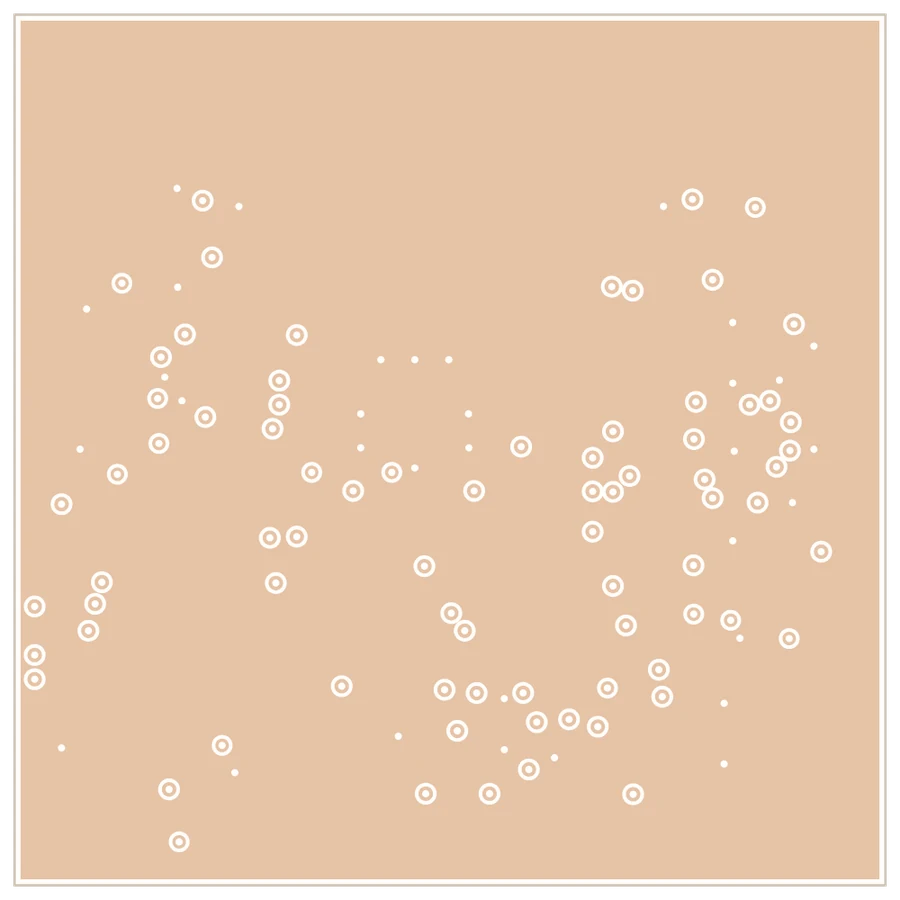
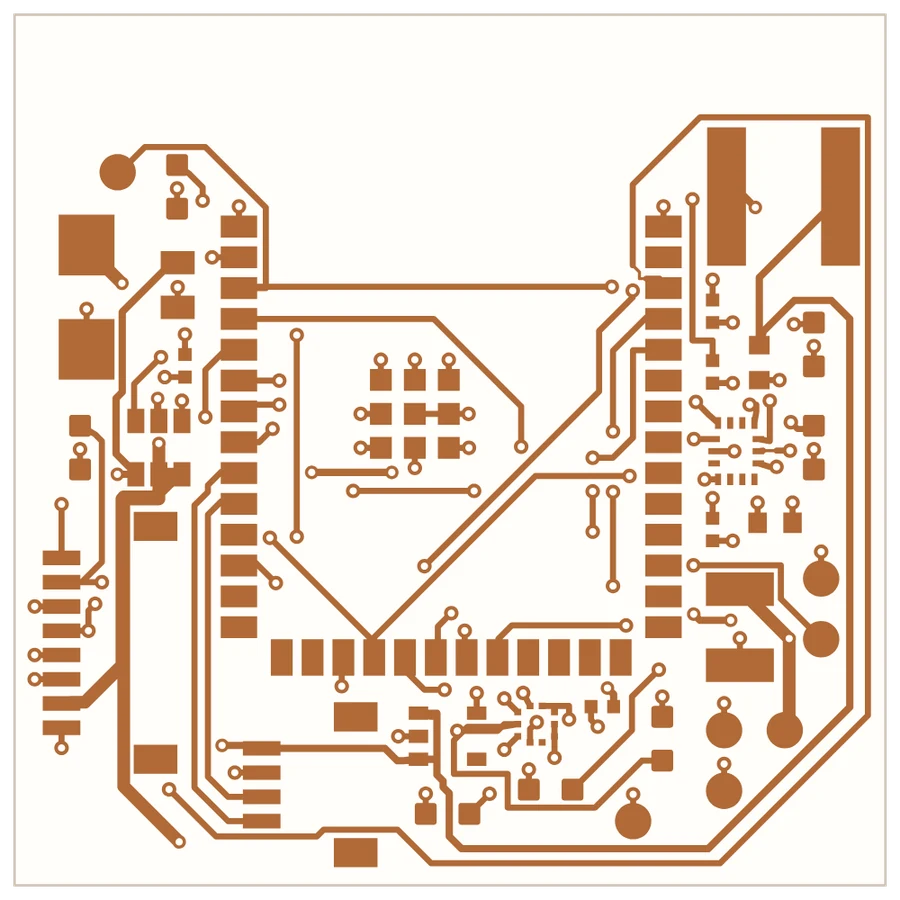
One real board. Four real layers.
Our latest is a 4-layer ESP32-S3 flight controller. Scroll to pull its stack apart. Every layer here is drawn from the exported Gerbers, not a design screenshot.
It's the only board on this page. We'd like the next one to be yours.
Scroll to peel the layers
03 / Release package
Everything your fab and assembler ask for.
No "export it yourself." The sprint ends with the complete package, organized the way a fab house expects it.
Gerbers & drill
GBR · DRLBill of materials
CSVPick-and-place
CSVAssembly drawings
PDFODB++
ODB++5 deliverables · 1 board · signed off by a human EEYours to send to the fab you already use
KiCad · In and out
Already in KiCad? Bring the project.
Most boards don't start from a blank page. Hand us your KiCad project and Coppr opens it as an editable design. When the sprint ends, the work goes back out as a KiCad project, so your team picks up where it always has.
- In
Your KiCad project
KiCad 6 to 9. The schematic hierarchy, parts, footprints and, when there is one, the board.
.kicad_pro.kicad_sch.kicad_pcb - Checked
Net by net, against KiCad's own netlist
Before anything is written, every connection is compared with the netlist KiCad itself exports. A mismatch stops the import.
- Out
A KiCad project again
Schematic, board, and the symbol and footprint libraries, written for KiCad 7, 8 or 9.
.kicad_pro.kicad_sch.kicad_pcbLibraries
One honest note: Coppr redraws the schematic in its own symbols. Your connections, parts and footprints carry over; the drawing itself is new.


04 / Fit
Built for the boards that keep piling up.
The boards every hardware team needs and nobody has time for. We're upfront about what isn't a fit yet.
Good fit✓
- 01Power boards
- 02Sensor boards
- 03Motor drivers
- 04Controllers
- 05Carrier boards
- 06Test jigs & bring-up rigs
- 07Chargers
Not in this sprint—
- ×Dense high-speedMIPI · PCIe
- ×Rigid-flex
- ×Large FPGA arrays
- ×Flight-critical avionics
- ×Radios
Not sure where yours lands? Bring it to the call and we'll tell you straight.
05 / While you hire
Hiring an EE? Keep your board spins moving.
A great electrical engineer is worth waiting for, and we're not here to replace that hire. We take the next board off the queue so it doesn't sit while the search runs. Your new EE walks into signed-off files, not a backlog.
Pre-launch partner program
Start with the board you need next.
Your next board, fab-ready in 5 business days.
Early access to Coppr as it grows.
Work directly with the founders, not a support queue.
Bring anything from a rough idea to a full spec
or email uspraveen.sundar@copprlab.com